
A worn-out battery can make even a reliable robot vacuum feel useless. Before replacing the whole unit, a proper battery swap often restores full performance.
This guide breaks down proven replacement kits that last, charge safely, and deliver real runtime gains without wasting money on weak or overrated options.
The Verdict: JIIKER Replacement Battery
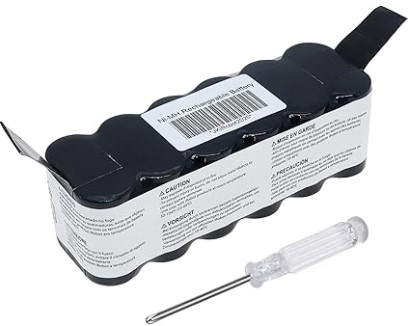
The best replacement batteries for Eufy and iRobot models use Grade-A Lithium-Ion cells and include a built-in Battery Management System (BMS) for safety.
While original batteries often cost over $80, trusted options like Powerextra and JIIKER Replacement Battery deliver up to 30% more capacity (2600–3200mAh) for under $40, with stable charging and longer cleaning cycles.
The Comparison Table
| Battery Model | Cell Type | Capacity (mAh) | BMS Protection | Est. Runtime | Price |
|---|---|---|---|---|---|
| iRobot OEM | Samsung/LG Li-Ion | 1800 – 2200 | Advanced | 90 mins | Amazon |
| Powerextra Replacement | High-Grade Li-Ion | 2600 | Yes | 110 mins | Amazon |
| JIIKER Replacement Battery | High-Grade Li-Ion | 3200 | Yes | 120 mins | Amazon |
The “Fake Capacity” Trap: Why 5000mAh Listings Rarely Deliver
Battery listings often promise huge numbers like 5000mAh or more. On paper, that sounds like double the runtime. In real homes, that rarely happens.
Here’s why it fails. Higher capacity needs larger or better cells. Most robot vacuums simply don’t have space for that. Sellers inflate numbers by using lower-quality cells or mislabeling capacity.
A quick reality check helps. A genuine upgrade usually adds 20–30% runtime, not 100%. Anything beyond that deserves skepticism.
Weight is another clue. A real high-capacity battery feels slightly heavier. If a “5000mAh” battery weighs the same as a 2200mAh pack, corners were cut somewhere.
The safer approach stays simple. Choose brands with consistent reviews, clear specs, and proper protection circuits instead of chasing inflated numbers.
Top-Rated Battery Replacement Kits for Eufy and iRobot
1. Best Overall: JIIKER Replacement Battery
This one stands out for homes with large floor areas or pets. The 3200mAh capacity pushes runtime close to two hours on most Eufy and iRobot models.
Thermal protection is where this battery earns trust. It runs cooler during long cleaning cycles, which matters more than raw capacity. Overheating quietly shortens battery life over time.
Fit is tight and secure, with no rattling or loose connectors. Charging stays consistent even after months of use, which is where cheaper packs often fail.
Best use case: daily cleaning schedules or bigger homes where one charge needs to cover everything.
2. The Budget Choice: Powerextra 2600mAh Replacement

This is the sensible pick for smaller spaces or lighter use. It costs less but still delivers a noticeable upgrade over worn-out original batteries.
Runtime sits around 100–110 minutes, which is more than enough for apartments or single-level homes. Charging speed stays stable, and the included BMS handles overcharge and short-circuit protection reliably.
Where it cuts corners is longevity under heavy use. Daily full cycles will wear it down faster than premium options.
Best use case: moderate cleaning routines where value matters more than maximum runtime.
3. The Warranty King: Tattu Replacement Battery Pack
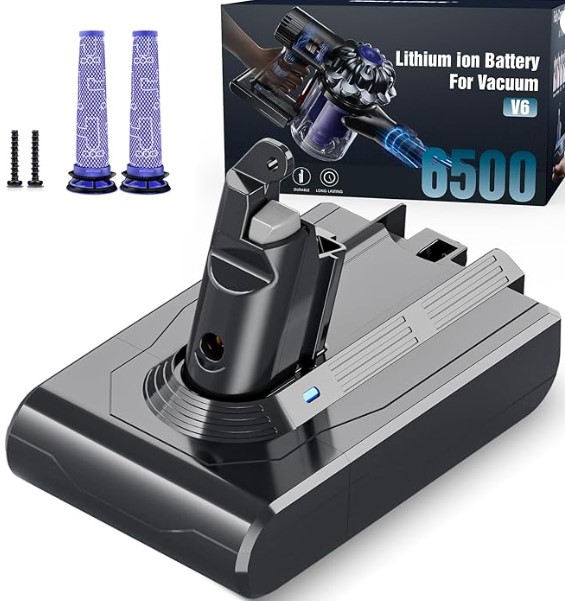
Warranty matters when dealing with batteries. Tattu backs its packs with a solid 12-month replacement guarantee, which removes most of the risk.
Performance sits in the middle range, usually around 2600–2800mAh. It doesn’t chase extreme numbers but stays consistent over time.
Build quality feels dependable, with well-insulated wiring and stable connectors. That reduces failure points, especially in humid environments.
Best use case: buyers who want peace of mind and a straightforward replacement without surprises.
4. The Balanced Pick: Melasta High-Capacity Battery

This kit is built for consistent results over time. The side-brush uses durable nylon that resists bending even on rough flooring.
Mop pads are thicker than most aftermarket options. They hold water evenly and release it steadily, which helps prevent streaks.
Fit is exact, with no wobble or slipping. That alone extends lifespan and improves cleaning coverage.
Best suited for daily cleaning and high-traffic homes.
5. The Reliable Backup: KBT Replacement Battery

Not every home needs maximum output. Some just need a dependable battery that works every time.
KBT focuses on stability. Capacity is modest, usually around 2400–2600mAh, but performance stays predictable. No sudden drops, no charging errors.
It’s also one of the easiest to install, with clear alignment and no connector resistance.
Best use case: older robot vacuums that need a second life without heavy investment.
What Actually Matters When Choosing a Battery
Capacity alone doesn’t tell the full story. Three things matter more in daily use.
First, cell quality. Grade-A cells from known suppliers last longer and charge more evenly. Cheap cells degrade quickly, even if the stated capacity looks impressive.
Second, BMS protection. This is non-negotiable. Without it, batteries overcharge, overheat, or fail early. A proper system manages voltage, temperature, and current automatically.
Third, fit and compatibility. A slightly off connector or loose fit leads to intermittent charging issues. Always match the exact model compatibility instead of guessing based on size.
Installation Tips That Prevent Problems
Battery replacement is simple, but small mistakes cause big frustration.
Power off the vacuum completely before opening it. Skipping this step risks short circuits.
Clean the contacts before installing the new battery. Dust buildup interferes with charging and reduces efficiency.
After installation, run a full charge cycle before first use. Then allow the battery to discharge normally. This helps calibrate the system for accurate runtime.
Avoid leaving the vacuum permanently on the dock for weeks without use. That slowly weakens battery health.
FAQs
1. How long should a replacement battery last?
A good battery typically lasts 12 to 24 months with regular use. Daily full cycles shorten lifespan, while moderate use extends it.
2. Is it safe to use aftermarket batteries?
Yes, if the battery includes proper BMS protection and uses quality cells. Cheap, unverified packs carry higher risk.
3. Why does the vacuum stop early even with a new battery?
This usually points to calibration issues or dirty sensors, not the battery itself. A full charge-discharge cycle often fixes it.
Final Thought
A robot vacuum rarely needs replacing when performance drops. In most cases, the battery is the weak link.
A well-chosen replacement restores runtime, improves consistency, and saves money. Focus on verified capacity, proper protection, and solid build quality, and the vacuum will run like it should again.