
Messy cables under a desk create dust traps, trip hazards, and visual clutter that never quite goes away.
A solid cable management box fixes all three at once.
The right one hides bulky power strips, controls heat, and keeps cords accessible without constant untangling or rearranging.
The Verdict: D-Line Cable Management Box
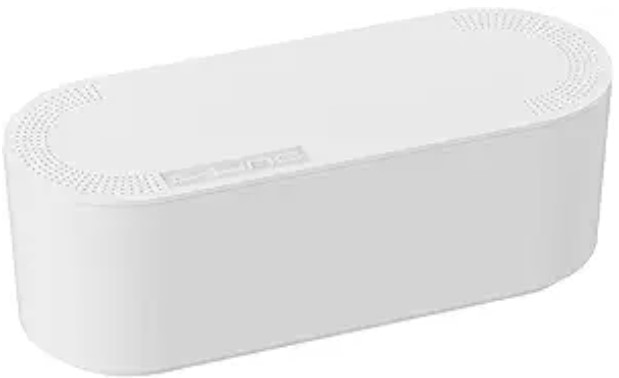
The best cable management boxes must balance ventilation, capacity, and fire-resistant materials. Top-performing models combine heat-dissipating designs with secure lids and wide cable slots.
Leading picks include the D-Line Cable Management Box for durability and the Baskiss Organizer for large power strips and multi-device setups.
The Comparison Table
| Attribute | D-Line Cable Management Box | Baskiss Cable Management Box | Bluelounge CableBox |
|---|---|---|---|
| Capacity | Large | Medium–Large | Large |
| Material | ABS Plastic | Plastic + Wood Lid | Flame-retardant Plastic |
| Ventilation | High (multi points) | Medium | Medium |
| Best Use | Daily desk setups | Multi-device hubs | Long-term durability |
| Price | Amazon | Amazon | Amazon |
Ventilation vs. Enclosed Design
Cable boxes fail for two reasons: heat buildup and poor sizing. A fully sealed box traps heat, especially with surge protectors and chargers running all day.
That shortens device lifespan and, in extreme cases, creates a safety risk.
Well-designed boxes solve this with side vents and raised bases. Wide cable slots matter just as much.
Tight openings bend cords, weaken insulation, and create clutter at entry points. A good box keeps cables loose, not forced.
Material choice also matters. Thin plastic warps over time, especially near warm adapters.
Thicker ABS or flame-retardant materials hold shape and handle daily use without cracking.
Top 5 Cable Management Boxes for Under-Desk Cord Chaos
1. The Gold Standard: D-Line Cable Management Box
This one handles real-world mess without fuss. The size fits most standard power strips plus bulky adapters that cheaper boxes struggle with.
The lid sits flush but lifts easily, which matters during quick resets or cleaning. Ventilation slots run along the sides, preventing heat buildup during long work hours.
Best use: under a work desk with multiple devices running daily. It stays stable and doesn’t shift when cables are pulled.
2. The Capacity King: Baskiss Cable Management Box

Some setups go beyond basic. Gaming stations, dual monitors, routers, chargers all in one place. This box is built for that level of load.
It’s wider and deeper than most, so adapters don’t pile up awkwardly. The material is thicker and designed to resist heat better than lightweight options.
The trade-off: takes up more floor space. Not ideal for tight corners, but excellent for heavy-use desks.
3. The Compact Choice: Chouky Cable Organizer Box
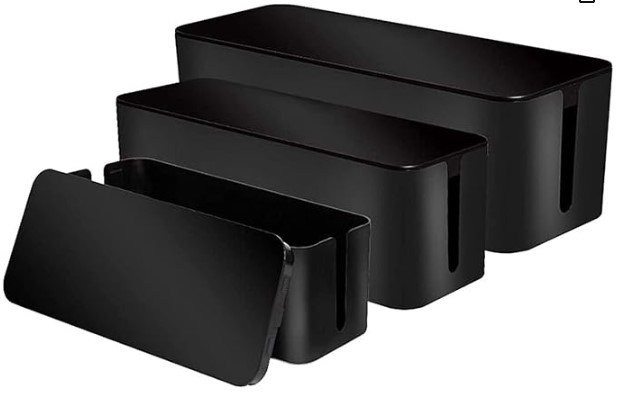
Small desks don’t need oversized solutions. This box fits neatly without crowding leg space.
Despite the smaller footprint, it still includes proper ventilation and enough room for a standard power strip. Cable slots are flexible enough to avoid bending cords.
Best use: study desks, bedside setups, or minimal office layouts.
4. The Durability Pick: Bluelounge CableBox
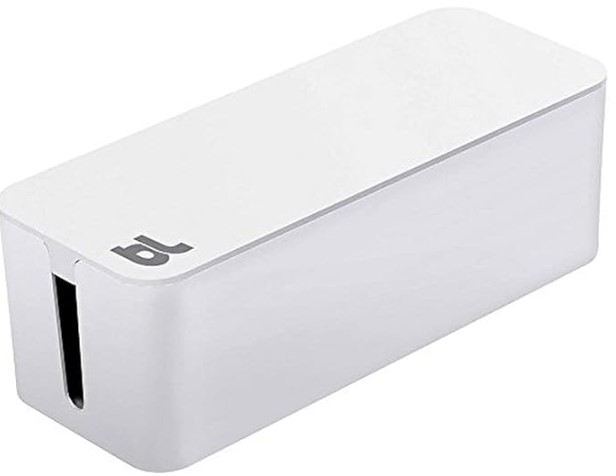
This one focuses on build quality. The structure feels solid, not flimsy, and holds up well in high-traffic areas where boxes get bumped or moved.
The interior space is moderate, but the cable routing is cleaner than most. Everything sits in place instead of tangling inside.
It costs more than basic options, but lasts longer. That matters when replacing cheap boxes every few months becomes routine.
5. The Budget Workhorse: HoVoit Cable Management Box
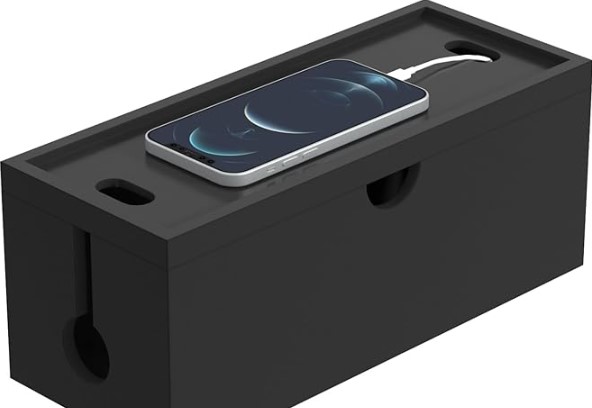
Simple, functional, and reliable. It doesn’t try to do too much, but covers the essentials well.
Ventilation is adequate, and the size works for everyday setups like laptops, lamps, and phone chargers. The lid locks in place securely, which helps in homes with pets or kids.
Best use: straightforward setups without oversized adapters.
FAQs
1. Do cable management boxes cause overheating?
Poorly designed ones can. Boxes without ventilation trap heat from power strips and chargers. Always choose models with side vents or airflow gaps to prevent buildup.
2. What size cable box works best?
Match the box to the power strip, not the desk. Measure the strip including bulky plugs. Oversized boxes work better than cramped ones because they reduce strain on cables.
3. Are cable boxes worth it for small setups?
Yes, but only if sized correctly. A compact box keeps cords contained and easier to clean around. Oversized models in small spaces create more clutter instead of solving it.
Final Thought
Cable clutter rarely fixes itself. A well-sized, ventilated cable box keeps cords controlled, reduces dust buildup, and improves safety without constant effort.
Focus on fit and airflow over looks. The right choice quietly handles the mess and stays useful long after the setup changes or grows.