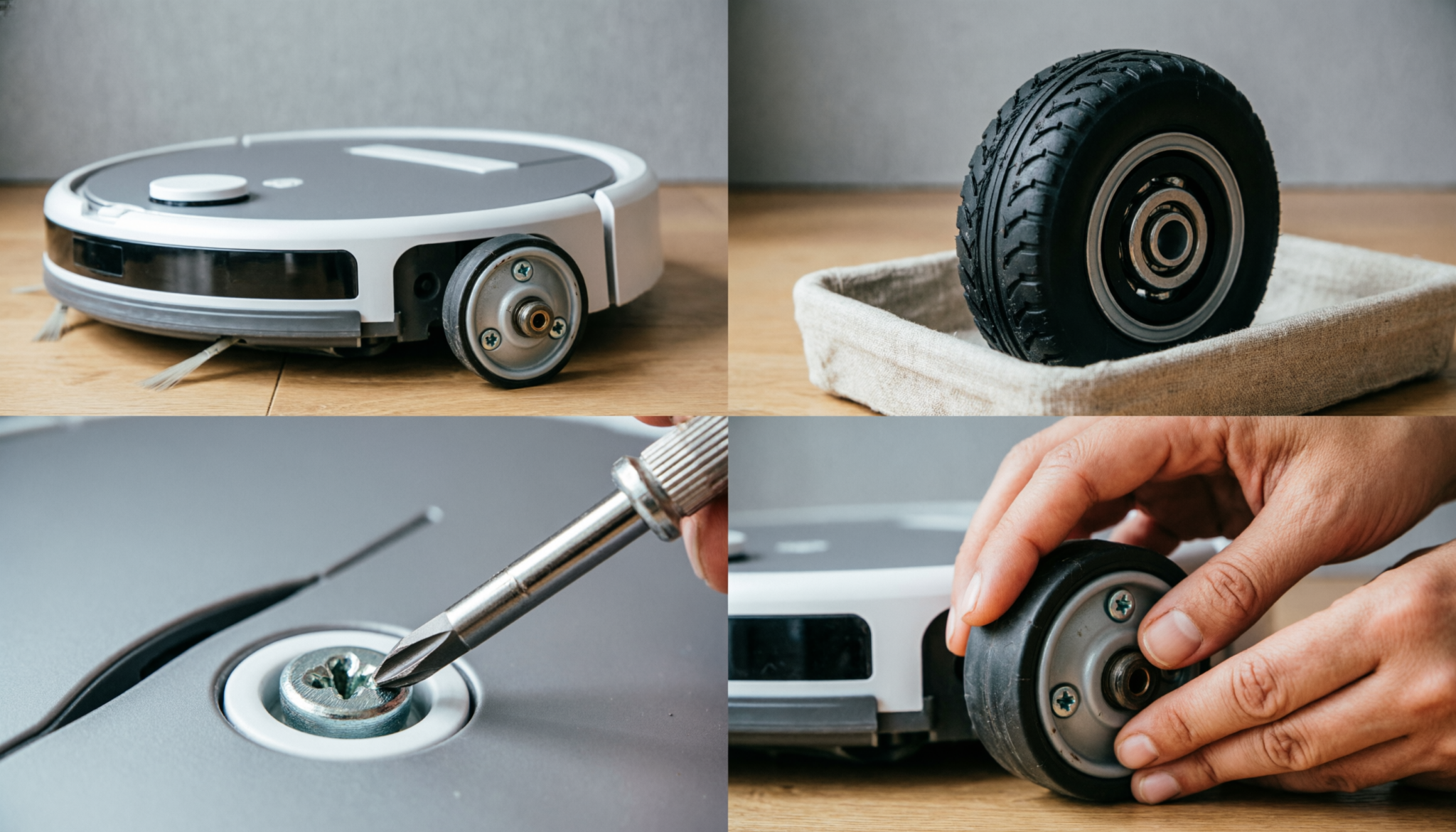
A robot vacuum that spins in circles or struggles to move often has a failing wheel motor. This repair sounds technical, but it is not.
With a basic screwdriver and a low-cost replacement module, smooth movement can be restored in under an hour without paying for costly service.
The Short Anaswer
Replacing a robot vacuum drive wheel (left or right) is a modular repair that uses a Phillips #2 screwdriver. Most wheel modules are secured with three internal screws. A $20 replacement module avoids a $150 repair fee or a $400 replacement cost.
Cost-Savings Comparison
| Option | Cost Estimate | What You Get | Downsides |
|---|---|---|---|
| DIY Wheel Replacement | $20 | Full function restored | Requires time and basic skill |
| Professional Repair Service | $150 | Done by technician | High cost, waiting time |
| New Robot Vacuum | $400–$450 | Brand new unit | Wasteful if only wheel is faulty |
Signs of a Blown Wheel Motor: The “Circle Dance” and “Traction Loss”
A failing wheel motor rarely stops suddenly. Clear warning signs appear first, and ignoring them often leads to full failure.
Common symptoms include:
- Robot vacuum spins in tight circles without moving forward
- One side drags or moves slower than the other
- Loud grinding or clicking from one wheel
- Difficulty climbing small thresholds or rugs
- Frequent “stuck” or “wheel error” alerts
The “circle dance” is the clearest sign. One wheel works while the other stalls, forcing the machine into endless loops. Traction loss follows when the motor weakens and cannot maintain consistent torque.
Hair buildup inside the wheel housing often starts the problem. Over time, strain burns out the small motor sealed inside the module.
Step-by-Step Guide: Opening the Undercarriage Safely
This repair stays simple because robot vacuums are built in layers. No soldering or wiring changes are required. The wheel module comes as a complete unit.
Tools Required
- Phillips #2 screwdriver
- Clean cloth or mat
- Small container for screws
- Replacement wheel module (left or right, model-specific)
Step 1: Power Down Completely
Switch off the robot vacuum and remove it from the charging dock. If the battery is removable, take it out. Safety matters more than speed.
Step 2: Flip and Inspect
Turn the unit upside down on a soft surface. Locate the wheel that shows resistance or uneven movement.
Step 3: Remove Bottom Plate Screws
Most models use 6–10 screws to hold the bottom cover. Keep screws organized by position to avoid confusion during reassembly.
Step 4: Lift the Bottom Cover
Gently lift the cover. Avoid pulling quickly since some models have light clips or thin connectors.
Step 5: Locate the Wheel Module
Each drive wheel sits in a self-contained unit with a visible spring suspension. Follow the wiring from the wheel to a small connector on the main board.
Step 6: Disconnect the Wheel
Unplug the connector carefully. Do not pull wires directly; grip the plastic plug instead.
Step 7: Remove the Faulty Module
Unscrew the 2–3 screws holding the wheel module in place. Lift it out slowly.
Step 8: Install the New Wheel
Position the replacement module in the same orientation. Secure it with screws and reconnect the cable firmly.
Step 9: Reassemble the Base
Place the bottom cover back and tighten screws evenly. Avoid over-tightening, which can crack plastic threads.
Step 10: Test Movement
Turn the unit upright and power it on. A short test run should show smooth, balanced movement without spinning or dragging.
Cleaning the Front Caster: The “Hair Wrap” That Kills the Motor
The front caster wheel plays a small role but creates big problems when ignored. Hair and thread wrap tightly around its axle, adding drag to movement.
That drag forces the drive wheels to work harder. Over time, this extra strain contributes to motor burnout.
Quick Cleaning Routine
- Pull the caster wheel straight out
- Remove visible debris with fingers or tweezers
- Cut wrapped hair using small scissors
- Wipe the axle with a dry cloth
- Snap the wheel back into place
Regular cleaning every two weeks reduces strain on drive motors and extends the lifespan of replacement parts.
Choosing the Right Replacement Wheel
Not every wheel module fits every robot vacuum. Compatibility matters more than price.
Check these before buying:
- Exact model number printed under the unit
- Left vs right wheel (they are not interchangeable)
- Connector type and cable length
- Mounting screw positions
Generic replacements work well when matched correctly. Avoid the cheapest option if reviews mention weak springs or poor traction. A slightly higher-quality module prevents repeat repairs.
Common Mistakes That Ruin the Repair
A simple repair can fail when small details are overlooked.
Frequent issues include:
- Installing the wrong side wheel
- Forgetting to reconnect the cable fully
- Pinching wires during reassembly
- Losing screws or mixing sizes
- Skipping debris cleaning before installing new parts
Patience matters more than speed. Taking a few extra minutes during reassembly avoids opening the machine again.
When This Repair Is Not Enough
Wheel replacement solves most movement issues, but not all.
Further problems may exist if:
- Both wheels fail at the same time
- The robot does not power on after repair
- Burning smell or visible board damage appears
- Error messages persist after replacement
In these cases, the issue may involve the mainboard or power system. Repair costs can exceed the value of the machine, making replacement a more practical choice.
FAQs
1. How long does this repair take?
Most repairs take 30 to 60 minutes, depending on experience and model complexity.
2. Can both wheels be replaced at once?
Yes. Replacing both wheels can restore balance and extend lifespan, especially in older units.
3. Is it safe to use generic replacement parts?
Yes, if the model match is exact. Poorly fitted parts cause more damage than savings.
Final Thought
A robot vacuum wheel failure feels serious, but it is often a simple mechanical issue. A careful approach, the right part, and basic tools bring the machine back to life.
Regular cleaning and early action prevent repeat failures and keep daily cleaning routines running without interruption or added cost.